

How to Download a Quote

If you’ve already added products to your cart, Download Quote lets you create a PDF of your current cart contents in just a few clicks. It’s a fast way to share line-item pricing with purchasing or teammates and keep the order moving.
Watch the short walkthrough, then follow the steps below.
When to Use Download Quote
- You need a formal quote for purchasing or internal approvals.
- You want to share your cart contents with a teammate.
- You need a downloadable PDF with line-item details and pricing.
- You want to speed up handoff from engineering to purchasing.
How it Download Quote Works
After adding items to your cart, click Download Quote at the bottom of the cart. Chamfr generates a PDF based on the products currently in your cart, making it easy to share the item and pricing details with your team.
Step-by-Step Instructions
Step 1
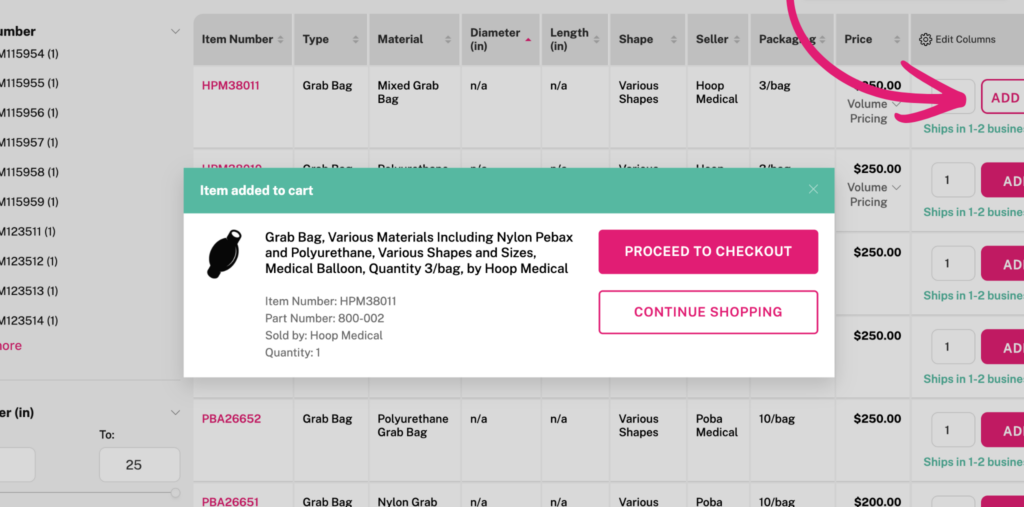
Add products to your cart
Start by adding the products you want quoted to your shopping cart.
Step 2
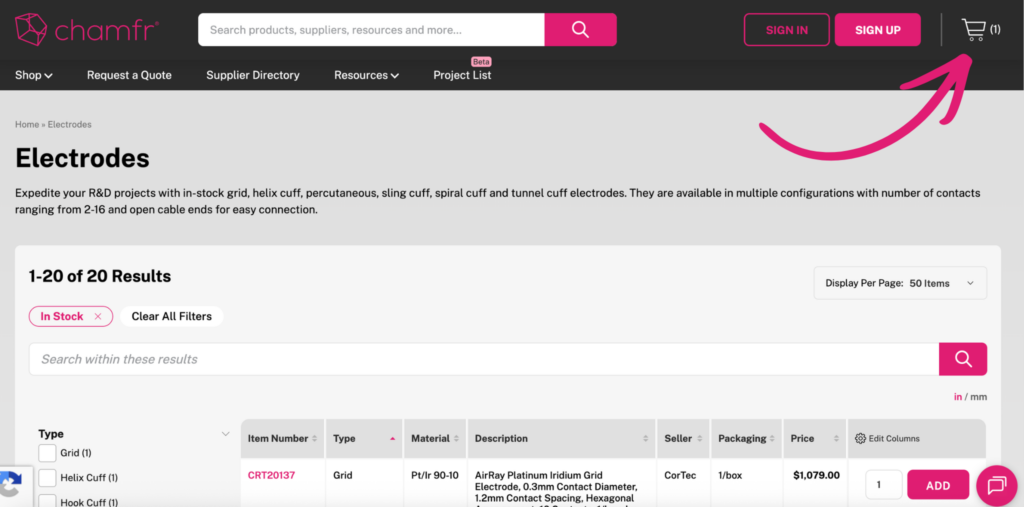
Open your cart
Go to your shopping cart by clicking the cart icon on the top-right of the site to review the items you want included in the quote.
Step 3
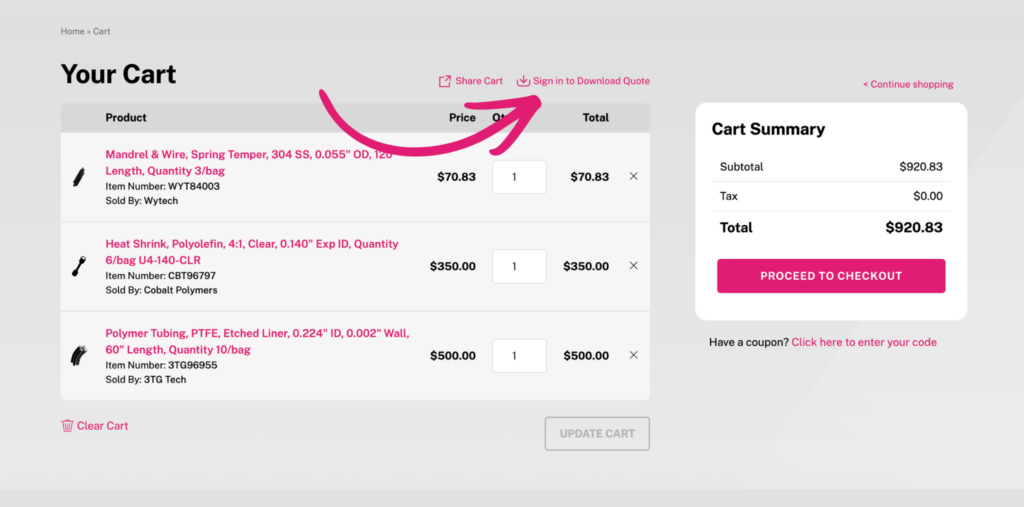
Click Download Quote
In the cart overlay, you can click the link at the bottom of the cart or on the cart page you can click the link above the cart list that says “Download Quote” to generate your PDF.
Step 4
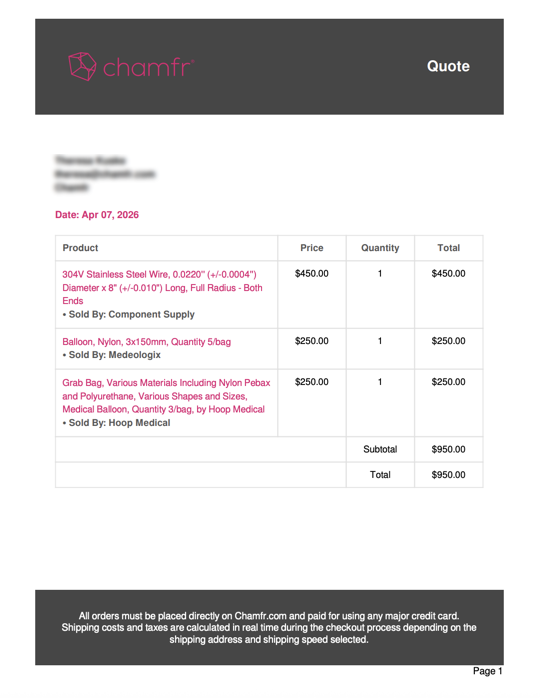
Download the PDF
Chamfr creates a quote PDF with the items currently in your cart, including line-item details and pricing.
Step 5
Share it with purchasing or your team
Send the quote PDF for internal review, approvals, or purchasing handoff so the order can move forward faster.
What’s Included in the Quote PDF
- Product details
- Part numbers
- Quantities
- Pricing
Important Note About Shipping
Shipping estimates are not included on the quote PDF. Shipping is calculated dynamically during checkout based on factors like delivery address, shipping method, carrier rates, and supplier location. To view shipping options and rates, proceed through checkout and enter your shipping address.
Tip
If you update quantities or change the items in your cart, re-download the quote so the PDF reflects your latest cart contents.
Frequently Asked Questions
What does Download Quote do?
Download Quote generates a PDF of the products currently in your cart, including product details, part numbers, quantities, and pricing.
When should I use Download Quote?
Use Download Quote when you need a formal quote for purchasing review, internal approvals, or team sharing. It is a fast way to turn your current cart into a shareable PDF.
What is included in the quote PDF?
The quote PDF includes product details, part numbers, quantities, and pricing for the items currently in your cart. It does not include shipping or taxes.
Does the quote PDF include shipping costs?
No. Shipping costs are not included on the quote PDF because shipping is calculated dynamically during checkout.
How do I see shipping rates?
Proceed to checkout, enter the shipping address, and review the available shipping options and costs there.
Can I re-download the quote after updating my cart?
Yes. You can update quantities or cart contents and re-download the quote at any time so the PDF reflects the latest version of your cart.