

How to Request a Quote

If you can’t find an in-stock or quick turn product that matches your exact needs, use the Request a Quote (RFQ) tool to submit a custom sourcing request. Chamfr streamlines sourcing by quickly sending your quote to multiple suppliers that are capable of fulfilling your request at once. They will review your custom specs and get you a quote back fast.
Watch the short walkthrough, then follow the steps below.
When to Use RFQs
- You searched Chamfr and did not find the exact in-stock part you need.
- You need a custom component, material, size, or configuration.
- You want suppliers to quote your exact specifications.
How RFQs Work
You submit a request with your product type, specs, and any supporting files. Your request is then routed to all suppliers in the Chamfr network that may be able to support it, making custom sourcing faster and more organized.
Where to Find RFQs
You can start a quote request from the main navigation, a category listing page, a product detail page, or the supplier directory. If you start from a product detail page or supplier directory, the request can be tied to that specific product and/or supplier.
Main Navigation

Use the main Request a Quote flow when you know what you need but are not starting from a specific product or supplier page.
Category Listing Pages
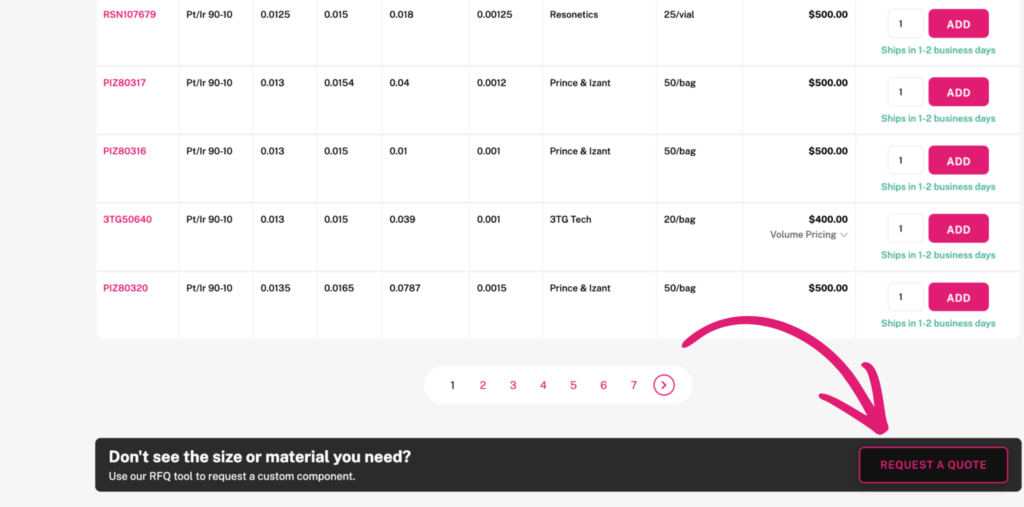
If you are browsing a category and do not see the exact option you need, you can request a quote directly from the category page and continue the workflow from there.
Product Detail Pages
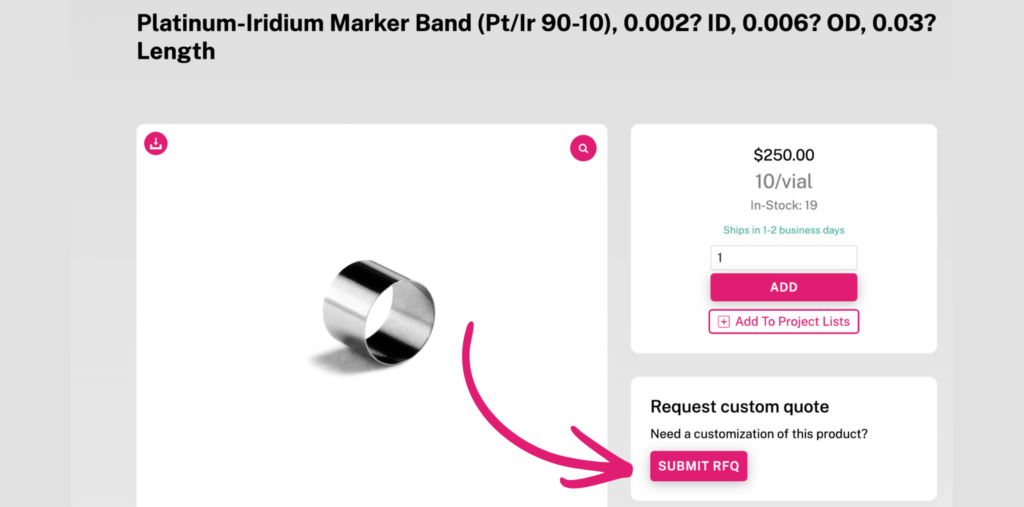
If you are already viewing a product detail page, you can submit a quote request there. This is the best option when you want the request tied to a specific product and sent to that supplier.
Supplier Directory
If you know which Chamfr supplier you’d like to request a quote from, you can search for them in the directory, and request a quote right from their listing.
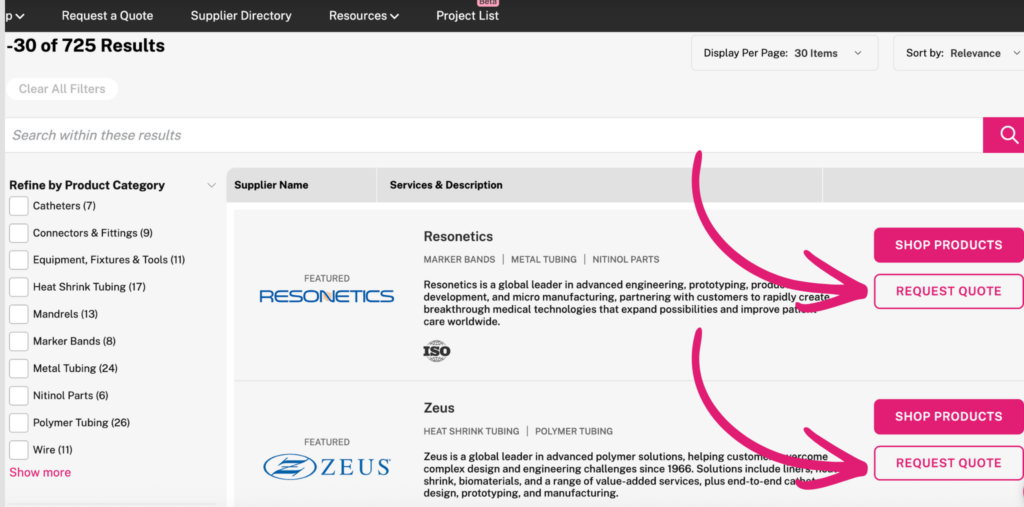
Step-by-Step Instructions
Step 1
Choose the type of product you need
Select the kind of product you want quoted. For example, you might need custom heat shrink tubing or a different size marker band.
Step 2
Add your specifications
Enter the material, dimensions, and any other key requirements so suppliers understand exactly what you need.
Step 3
Upload a file if it helps explain the request
You can upload a CAD file, PDF, JPEG, or even a sketch or photo from your phone to help suppliers understand the part or requirement.
Step 4
Submit your request
Once submitted, Chamfr helps route your request to suppliers that may be able to quote and fulfill it.
What to Include in Your RFQ
- Product type
- Material requirements
- Dimensions or size details
- Performance or design notes
- CAD files, PDFs, images, or sketches
Tip
The clearer your specs are, the easier it is for suppliers to understand the request and provide a more accurate quote.
Frequently Asked Questions
How long does it take to submit a quote request?
Submitting the request should be quick. The goal is to let engineers request quotes from multiple suppliers in minutes rather than managing separate outreach manually.
How fast is my quote request sent to suppliers?
Your request is routed quickly after submission to relevant suppliers with the exact specs and information you submitted via email directly to multiple suppliers at once. Most suppliers respond within 1-2 business days.
How long does it take to receive a quote?
Timing can vary depending on the product, specs, and supplier response time. Some requests may receive multiple quotes, but the exact turnaround will depend on the complexity of what you submitted.
Where can I view my quote after submitting?
After submitting a quote, you will get an email back from the suppliers with the quote information, but you will also be able to see all quotes submitting after logging into your account and going to your dashboard.
What kind of files can I upload?
You can upload supporting files such as CAD files, PDFs, JPEGs, sketches, or photos that help explain the custom part or requirement. Supported file types: PDF, JPG, JPEG, PNG, DWG, IGS, IGES, STEP – Maximum file size: 50MB
Can I request quotes from more than one supplier?
Yes. The feature is positioned as a way to connect your request to multiple relevant suppliers rather than requiring separate outreach to each one.
What helps me get a more accurate quote?
Include as much useful detail as possible: material, size, specifications, and any drawings or reference files. More complete information makes it easier for suppliers to quote accurately.