

How to Share Your Cart

If you’ve already found the products you need, Share Cart makes it easy to send those items to a teammate or purchasing contact. Instead of rebuilding the cart manually, you can share it directly so someone else can review so you can get the items you need faster.
Watch the short walkthrough, then follow the steps below.
When to Use Share Cart
- You want to send your selected items to a teammate for review
- You found the products you need and need someone else to purchase
- You want to make it easier for other teams to purchase
How Share Cart Works
You can share your cart from the cart page or cart overlay. Chamfr lets you either email the cart directly from the platform or copy a shareable link. When the recipient opens that shared cart, they can choose to add the items to what they already have in their cart or replace their cart.
Step-by-Step Instructions
Step 1
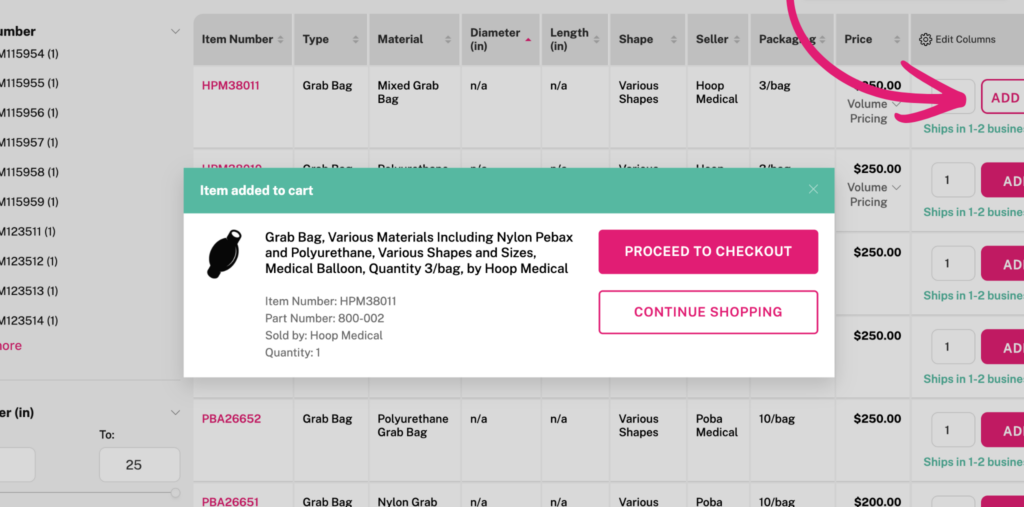
Add Products to Your Cart
Use the search bar or shop menu to find components you need for your project and add them to your cart.
Step 2
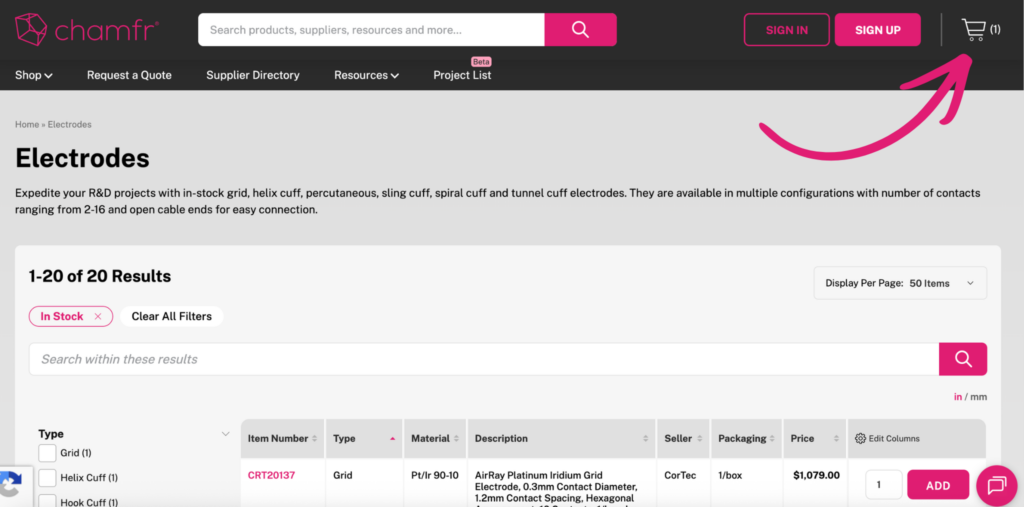
Open Your Cart
Click on the cart icon at the top-right hand corner.
Step 3
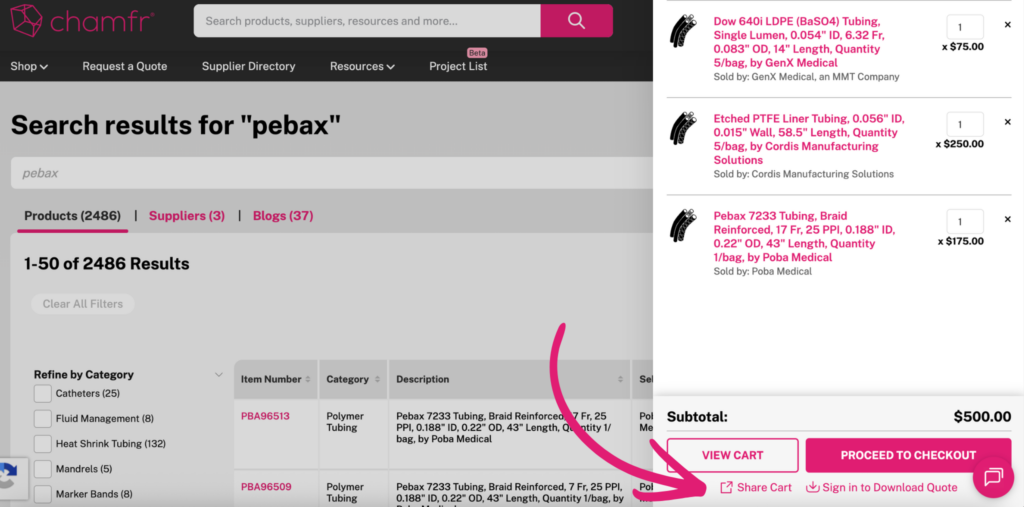
Click Share Cart
Select Share Cart link to begin sharing the items in your cart.
Step 4
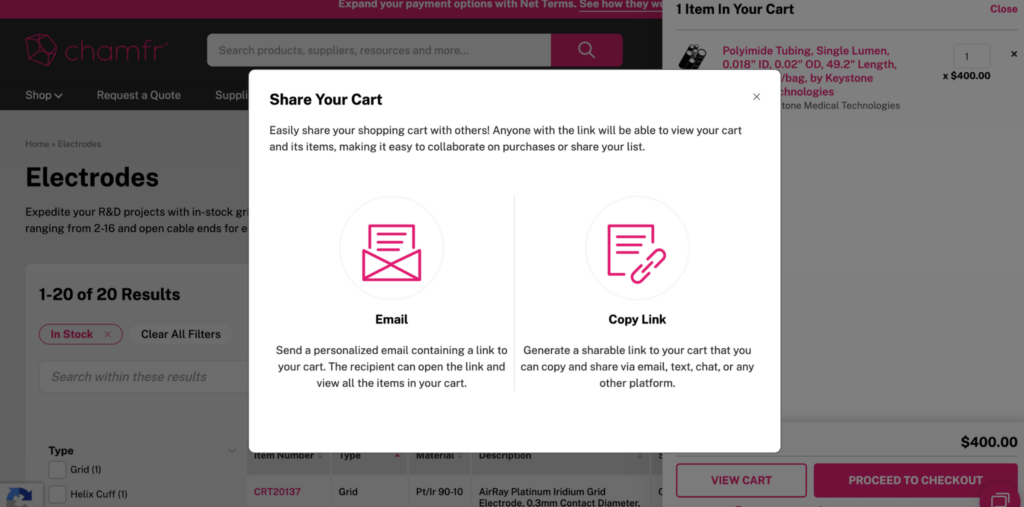
Choose How to Share It
You can either email the cart directly from Chamfr or copy a link to share with your team.
Step 5
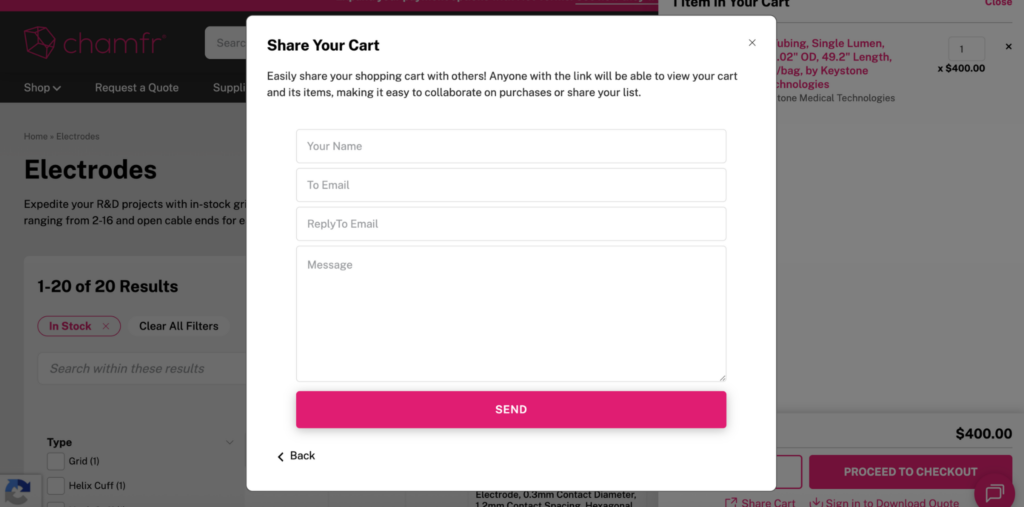
Send by Email and Add Recipient Details
If you are emailing the cart from Chamfr, add the recipient, sender details, and a message before sending.
Step 6
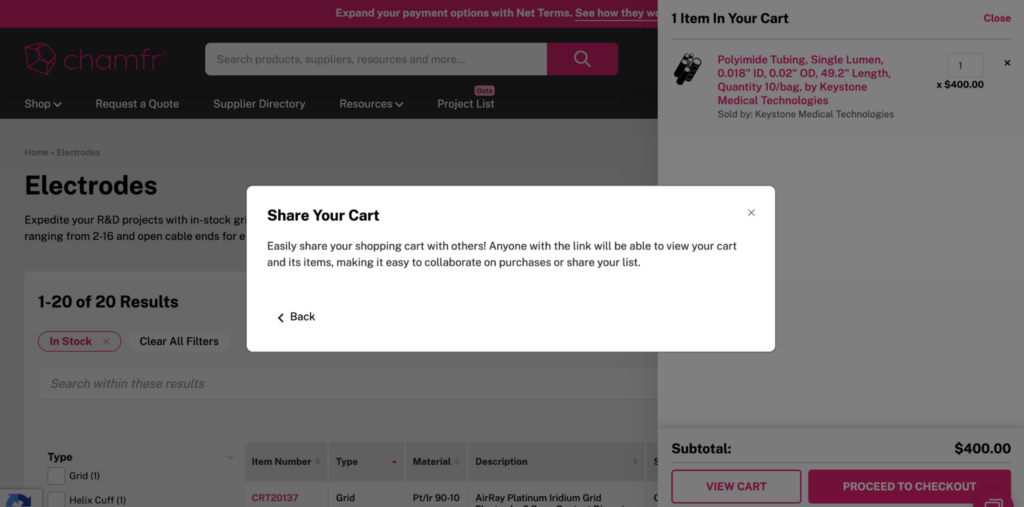
Share the Link
Once shared, your teammate or purchasing contact receives access to the cart contents without having to rebuild the order manually.
Step 7
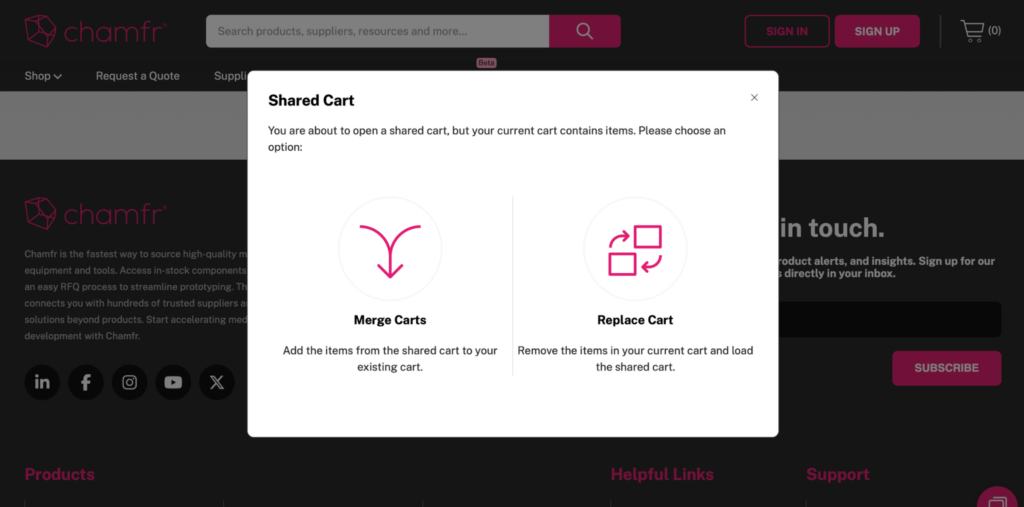
Recipient Chooses to Merge or Replace Their Cart
When the recipient opens the email or clicks the shared cart link, they can add the items to what they already have in their cart or replace the contents of their cart completely and finish checkout.
Share Cart Makes Sourcing Faster By
- Faster engineer-to-purchasing handoff
- Easier internal review of selected items
- Less manual work recreating carts
- Faster movement from product selection to checkout
Tip
Use Share Cart when one person is selecting products and another person is completing the purchase or when you need to share with your team for review and approval.
Frequently Asked Questions
What does Share Cart do?
Share Cart lets you send the products in your cart to a teammate or purchasing contact so they can review the items and continue the order process.
Who is Share Cart for?
It’s especially useful for engineers who identify products, but need someone else, like procurement or purchasing, to complete the order.
Can I share my cart with purchasing?
Yes. That is the primary use case for the feature.
How can I share my cart?
You can either send it directly by email from the Chamfr site or copy a shareable link and send it through your email.
What happens when someone opens a shared cart?
The shared items are added to the recipient’s cart so they can review them and complete checkout. The recipient will have the option to either add the shared items to what is already in their cart or replace the existing cart contents.